What Is an M3U8 Video?
An M3U8 file is a playlist file used in HTTP Live Streaming (HLS). Instead of a single video file, the video is divided into many small .ts segments.
This means you cannot simply download the video like a normal MP4 file. Many streaming websites use M3U8 playlists to deliver video content.

Why Download M3U8 Videos to Cloud Storage?
Downloading M3U8 videos directly to cloud storage like Google Drive offers several benefits:
- Save local disk space — no need to store large video files on your device.
- Access videos from anywhere — stream or download from any device.
- Backup important media — keep your videos safe in the cloud.
Method 1: Download M3U8 Video Locally
Traditional steps usually include:
- Extract the M3U8 URL from the webpage.
- Use a downloader tool to fetch the segments.
- Convert the segments into a single MP4 file.
However, this method has several limitations:
- Requires technical knowledge and multiple tools.
- Uses significant local storage space.
- Uploading to cloud storage takes extra time and bandwidth.
Method 2: Download M3U8 Video Directly to Google Drive
A more efficient method is to download the video directly to cloud storage using RiceDrive.
- ✅ No local download required
- ✅ Saves disk space
- ✅ Faster cloud processing
- ✅ Works offline — close your browser anytime
Steps to Download M3U8 to Google Drive
1 Sign in to RiceDrive
Sign in to your RiceDrive account. If you don't have one, create a free account.

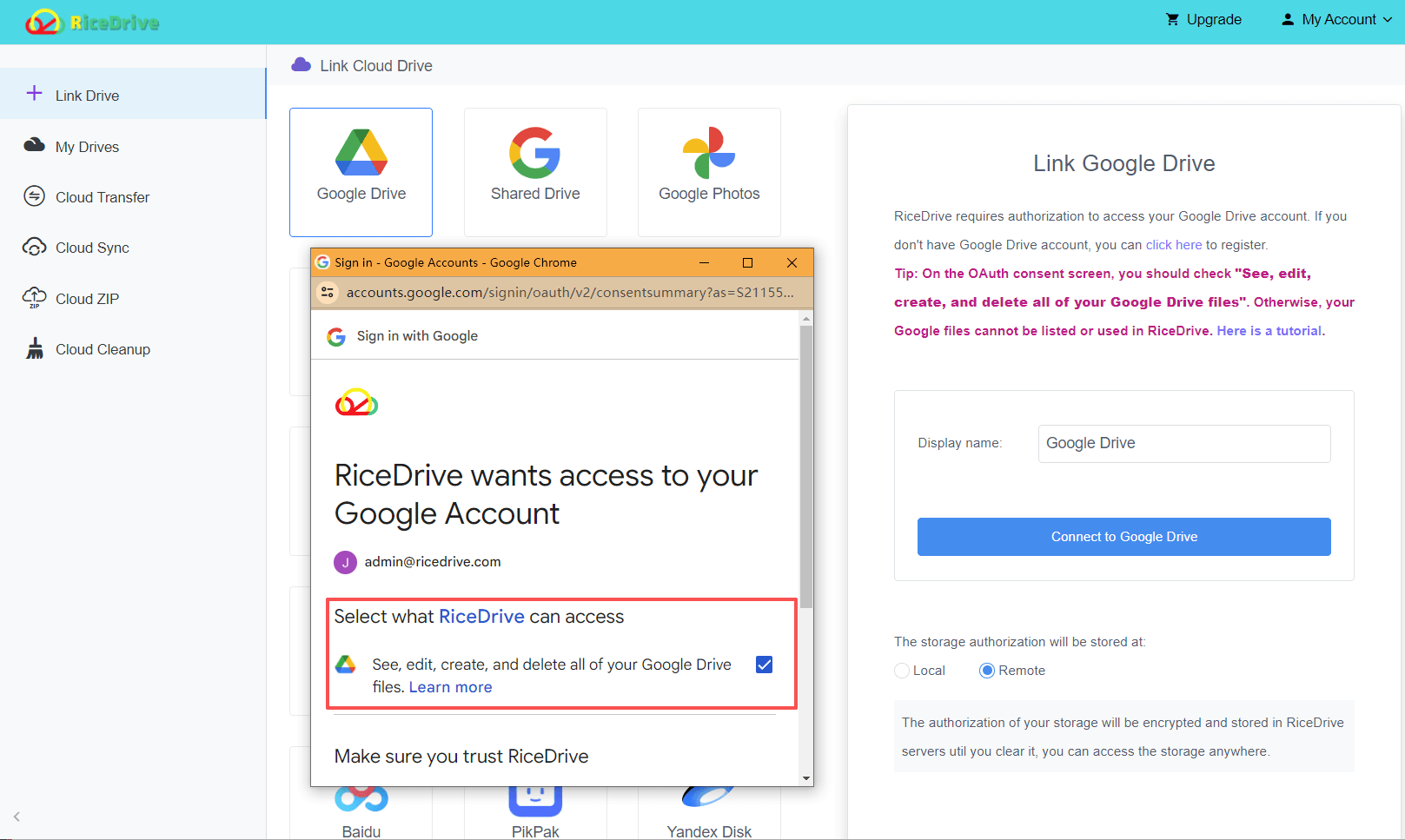
2 Connect Your Google Drive
Link your Google Drive account to RiceDrive via OAuth authorization.
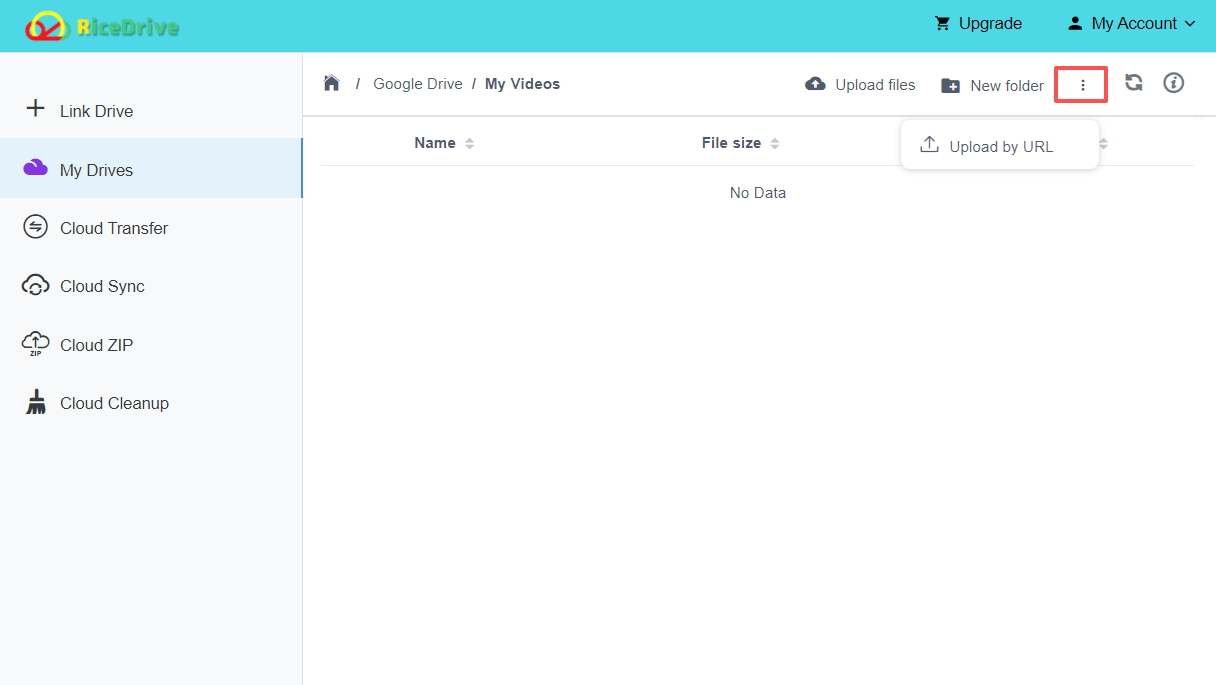
3 Open Google Drive & Choose Upload by URL
Navigate to your Google Drive in RiceDrive and select Upload by URL.
4 Paste the M3U8 Link & Start
Get the M3U8 video link and paste it into the URL field. Then click Start to begin the download.
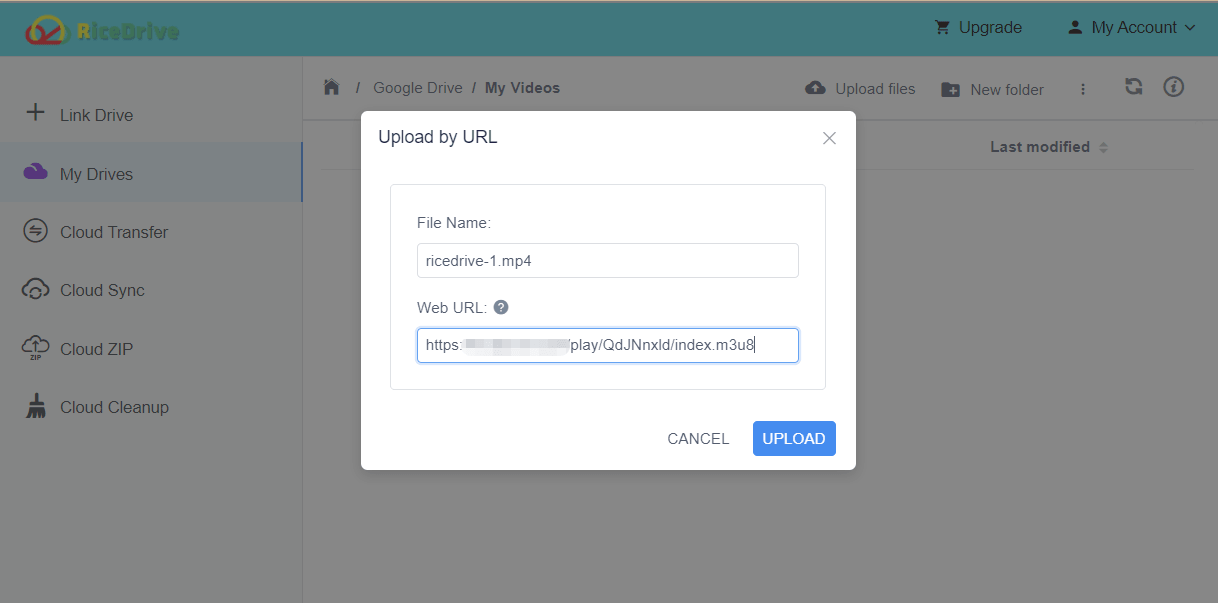
RiceDrive will fetch all video segments and combine them into a single video file directly in your Google Drive. You can close the browser — the task runs in the cloud.
When Should You Use Cloud Download?
Downloading videos directly to cloud storage is especially useful when:
- The video file is very large (e.g., movies, long recordings).
- You want to avoid slow local downloads and uploads.
- You want automatic cloud backup without manual effort.
- You have limited local storage space.
This approach is increasingly popular for managing large media files online in 2026.
Conclusion
Downloading M3U8 videos traditionally requires multiple tools and manual steps. With RiceDrive, you can download videos directly to Google Drive without saving them locally.
This method is faster, simpler, and ideal for large media files. Whether you're archiving streaming content or building a media library, RiceDrive makes cloud-based M3U8 downloading effortless.
🚀 Ready to download M3U8 videos to Google Drive?
Start Free Download →No credit card • 10GB free traffic • Cancel anytime
