Introduction
YouTube has become the world's largest music streaming platform, with millions of songs, albums, and playlists available for free. Whether you're commuting, traveling, or just want to save data, downloading YouTube music on your phone lets you enjoy your favorite tracks offline anytime, anywhere.
In this guide, we'll explore 4 proven methods to download YouTube music on both Android and iOS devices. We'll compare their pros and cons, so you can choose the best approach for your needs.
Method 1: Mobile YouTube Downloader Apps
The simplest way to download music from YouTube to your phone is using a dedicated mobile app. These apps are available on both the Google Play Store and Apple App Store.
Popular options include: Video Downloader for YouTube, InsTube Music, YMusic, SnapTube, and NewPipe (Android only).
How to use a mobile downloader app:
- Install the YouTube downloader app from your device's app store.
- Open the app and grant required permissions (storage access).
- Search for the song or paste the YouTube video URL into the app.
- Tap the download icon and select MP3 as the audio format.
- The app will extract the audio and save it as an MP3 file in your music library.
- The downloaded song will appear in your regular music player for offline listening.
Pros: Quick and direct downloads; no computer needed; many free options available.
Cons: Many free apps have download limits, ads, or low MP3 bitrates (128kbps). Paid versions offer better audio quality. Some apps may be removed from app stores due to policy violations.
Method 2: iOS Shortcuts (iPhone/iPad Only)
Apple users can leverage the built-in Shortcuts app to create automated workflows that download YouTube music with just a tap.
Recommended shortcuts: YouTube Song Downloader, YouTube MP3 Converter, and Audio - Download YouTube.
How to use a downloading shortcut:
- Install the Shortcuts app from the App Store (pre-installed on newer iOS versions).
- Open Safari and search for "YouTube download shortcut" to find community-made shortcuts. Tap to install one.
- When you find a song you want, tap the share button and select the installed shortcut.
- The shortcut will process the video URL and save just the audio as an MP3 file to your Music library.
Pros: One-tap downloading from the share menu; no extra app needed; free to use.
Cons: Apple may restrict shortcuts that violate policies; finding trustworthy shortcuts can be tricky; downloading large volumes may result in removal.
Method 3: Desktop Software with Mobile Sync
For advanced users who want full control over download quality, metadata, and batch processing, desktop software paired with a mobile app is an excellent choice.
Popular desktop tools: 4K Video Downloader, JDownloader, and YouTube Music Downloader.
How desktop software works:
- Install desktop downloader software and the paired mobile app (if available).
- On your computer, use the software to queue up music downloads and specify MP3 format with custom bitrate (192kbps or 320kbps).
- Download the songs to your computer, then transfer them to your phone via USB, cloud sync, or the paired mobile app.
Pros: Greater control over quality and metadata; supports batch downloads; no mobile storage limitations during download.
Cons: More setup work; requires computer access; extra step to transfer to phone.
Method 4: Cloud-Based Downloaders (RiceDrive)
Cloud platforms like RiceDrive offer integrated YouTube downloaders that save music directly to your cloud storage. This approach saves your phone's storage and bandwidth.
How to download YouTube music with RiceDrive:
-
Install the RiceDrive mobile app or open mobile.ricedrive.com in your phone browser.
-
Log in with your email and connect a cloud drive like Google Drive, Dropbox, or OneDrive to store the downloaded music.
-
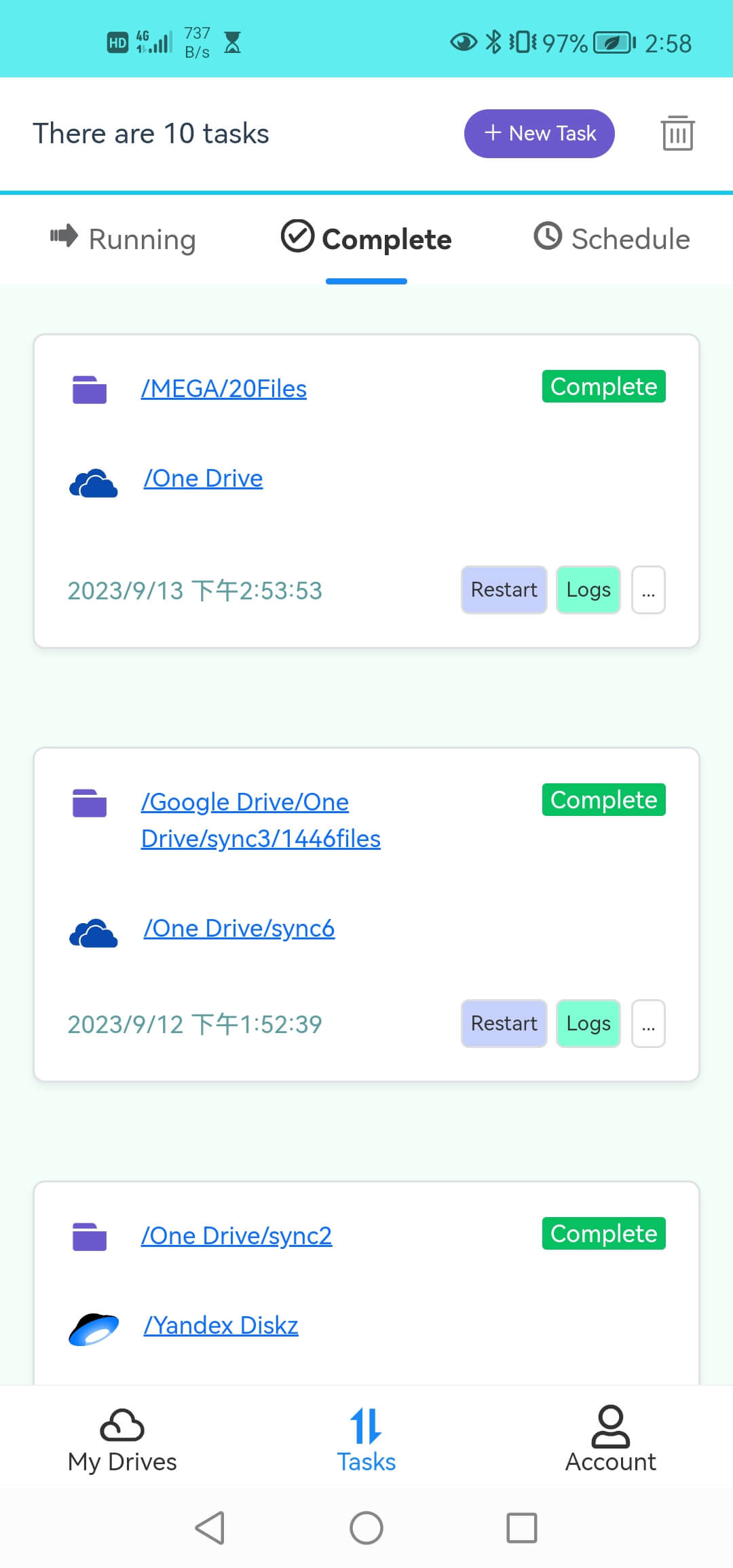
Click Tasks → New Task to open the download page.
-
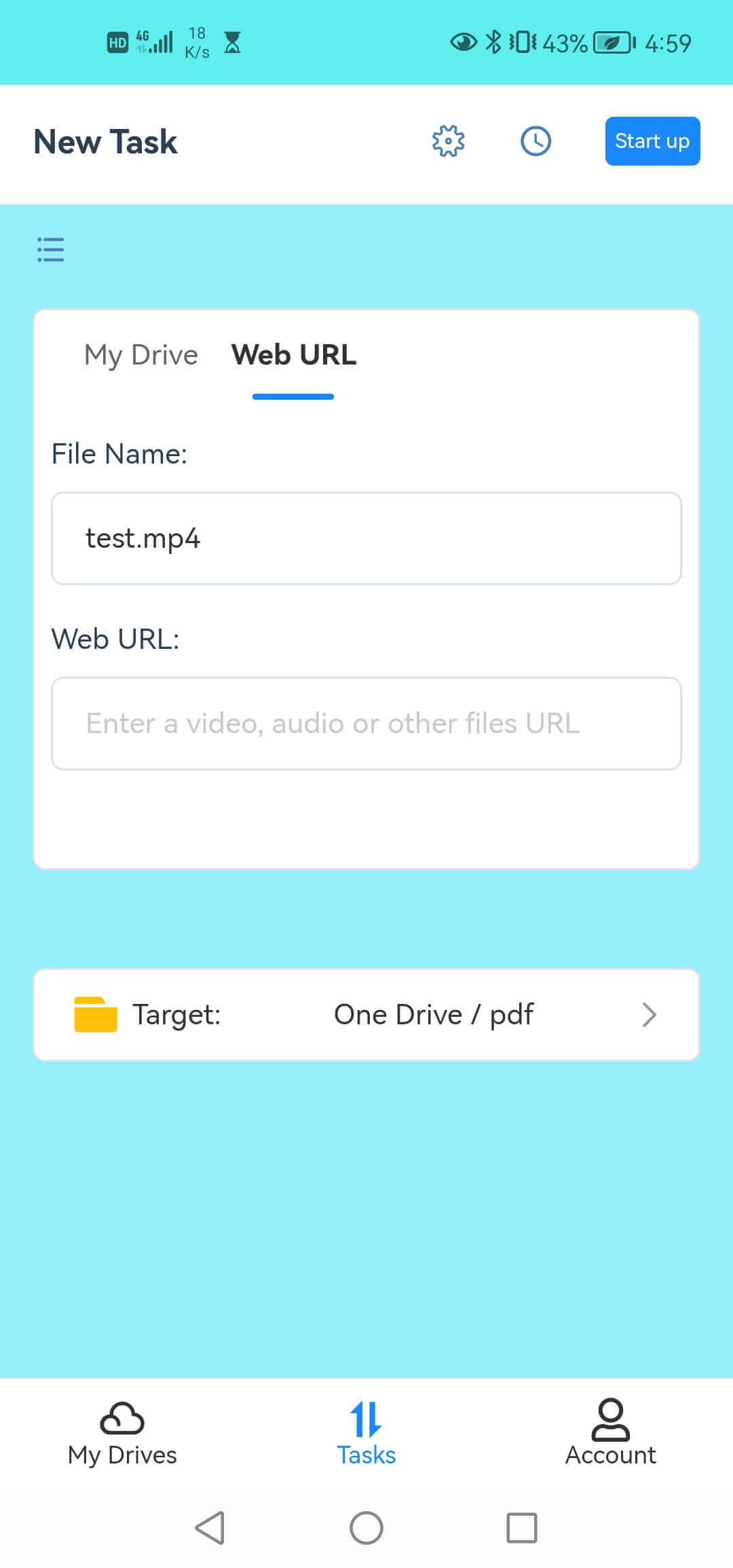
Switch the source to Web URL mode, paste your YouTube URL, and enter the file name.
-
Select a folder in your cloud drive as the destination and click Start.
-
Once complete, access the music files directly from your cloud storage app.
Key Benefits:
- No phone storage used — files stay in the cloud until you need them.
- 10GB free traffic — enough for hundreds of songs.
- Resumable downloads — no interruption if your connection drops.
- Multi-cloud support — save to Google Drive, Dropbox, OneDrive, or MEGA.
Pros: Saves phone storage; works on both Android and iOS; no need to manage local files.
Cons: Requires a cloud storage account; internet needed for initial download.
Method Comparison: Which One is Right for You?
| Feature | Mobile Apps | iOS Shortcuts | Desktop Software | Cloud-Based (RiceDrive) |
|---|---|---|---|---|
| Android Support | ✅ Yes | ❌ No | ✅ Yes | ✅ Yes |
| iOS Support | ✅ Yes | ✅ Yes | ✅ Yes | ✅ Yes |
| No Installation | ❌ | ✅ (Shortcuts only) | ❌ | ✅ (Web version) |
| Phone Storage Used | ✅ Yes | ✅ Yes | ✅ Yes | ❌ No (cloud storage) |
| Audio Quality Control | Limited | Limited | Full (up to 320kbps) | Standard |
| Batch Download | Limited | Limited | ✅ Yes | ✅ Yes |
| Free Usage | ✅ (with ads) | ✅ | Limited | ✅ (10GB free) |
Frequently Asked Questions
A: Downloading YouTube music for personal, offline listening is generally allowed under YouTube's terms of service, but redistributing or using it commercially is not. Always check copyright laws in your country and support artists by purchasing official releases.
A: Desktop software offers the highest audio quality (up to 320kbps MP3). Mobile apps typically max out at 192kbps unless you pay for premium versions. RiceDrive and other cloud-based downloaders provide standard quality suitable for casual listening.
A: Yes! Desktop software and cloud-based tools like RiceDrive support batch downloading of entire YouTube playlists. Mobile apps generally limit downloads to individual videos unless you upgrade to premium.
A: Yes. RiceDrive is a web-based service accessible through any mobile browser. It also has dedicated mobile apps for both Android and iOS available in their respective app stores.
Summary
Downloading YouTube music on your phone has never been easier, with multiple methods available for every need. Whether you prefer the simplicity of mobile apps, the convenience of iOS shortcuts, the power of desktop software, or the storage-saving approach of cloud-based downloaders like RiceDrive, you can enjoy your favorite music offline anytime.
For most users, RiceDrive offers the best balance of convenience and storage efficiency. With 10GB of free traffic, it's perfect for building a mobile music library without filling up your phone.
Get started with RiceDrive today and experience the simplest way to download YouTube music to your cloud storage.