Managing compressed files in the cloud can be a headache—especially when you need to move large ZIP or RAR archives from Google Drive to your FTP server. The traditional method? Download, extract, and re-upload. It’s slow, tedious, and inefficient.
But in 2025, there's a smarter way.
In this guide, we’ll show you how to directly extract ZIP or RAR files from Google Drive and upload the extracted contents straight to your FTP server—without downloading a single file to your computer.
🚀 Why Extract Directly from Google Drive to FTP
Here’s what makes this approach a game changer:
- Save Time: Skip the download and re-upload process entirely.
- No Software Installation: Everything happens online, right in your browser.
- Automatic Extraction: Files are unzipped and instantly transferred to your FTP server.
- Secure and Efficient: Your credentials stay encrypted and your data moves directly.
🔧 What You’ll Need
To follow this method, you’ll need:
- A Google Drive account with compressed ZIP or RAR files.
- Access to your FTP server (host, username, password/port).
- A cloud-based tool like RiceDrive that supports cloud-to-cloud extraction and transfer.
✅ RiceDrive is one of the few tools in 2025 that supports direct archive extraction from Google Drive and automatic upload to FTP.
📝 Step-by-Step Instructions
-
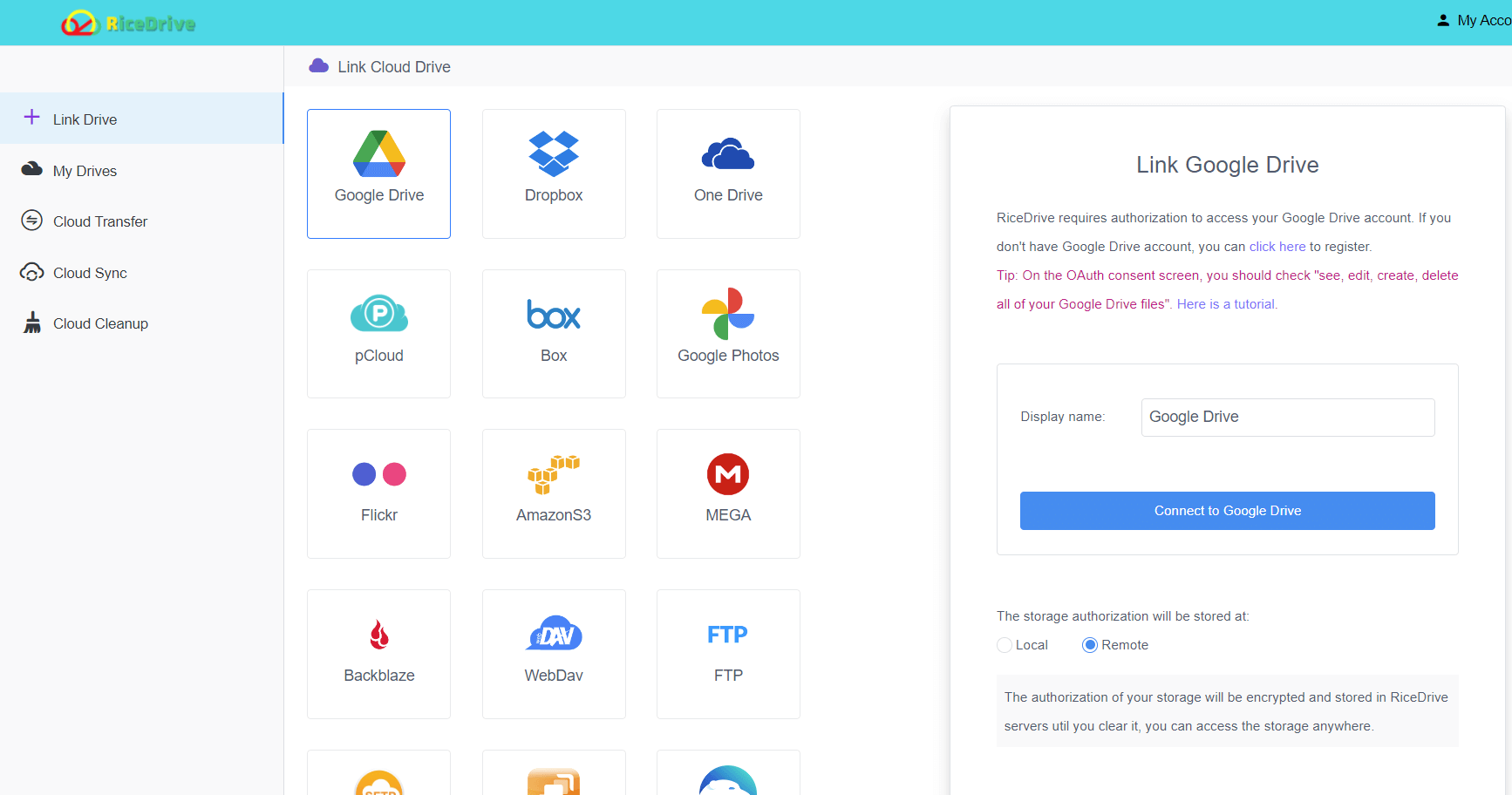
Step 1: Connect Your Google Drive
- Go to ricedrive.com.
- Authorize and connect your Google Drive account.
-
Step 2: Link Your FTP Server
- Navigate to the "Link Cloud" section and select FTP.
- Enter your FTP credentials (host, port, username, password).
- Test the connection and save.

-
Step 3: Choose the Archive File
- Locate the ZIP or RAR file in your Google Drive.
- Right-click or choose the "Extract to" option.

-
Step 4: Set Destination to FTP
- Select your connected FTP server as the destination.
- Choose the target folder if needed.
-
Step 5: Start Extraction
- Click "OK".
- The tool will unzip the file in the cloud and transfer its contents directly to your FTP server.

💡 Bonus Tips
- Schedule extractions for recurring tasks.
- Enable email notifications for task completion or failure.
- Use file filters if you only want specific file types transferred (e.g., .jpg, .pdf).
🔐 Is It Secure?
Yes. Tools like RiceDrive use OAuth2 authorization, encrypted storage, and TLS-secured FTP connections to ensure your data stays safe throughout the transfer process.
🎯 Final Thoughts
If you're still wasting time manually extracting and moving compressed files between Google Drive and FTP, it's time to upgrade your workflow. In 2025, solutions like RiceDrive make it faster, easier, and more secure than ever before.
Try it today and experience effortless cloud archive management!