As cloud storage adoption accelerates, many users and businesses store data across multiple platforms like Amazon S3 and Google Drive. While this offers flexibility, managing siloed data becomes complex. RiceDrive solves this by providing a unified interface to transfer, sync, and automate workflows between clouds — no coding or manual downloads required.
1. Introducing RiceDrive
RiceDrive is a free web-based cloud file manager that connects 40+ cloud storage services including Amazon S3, Google Drive, Dropbox, OneDrive, and Box. Instead of juggling multiple tabs, you manage everything from one dashboard.
Key advantages:
- 🔁 Bidirectional transfers — move or copy files between any two clouds.
- ⚡ Drag & drop interface — intuitive like a local file explorer.
- ⏱️ Scheduled sync — automate recurring backups.
- 🔍 Global search — find files across all connected drives instantly.
Whether you're a solo user or a team, RiceDrive eliminates the friction of multi-cloud storage.
2. Connecting Amazon S3 and Google Drive Accounts
Setting up connections takes less than 2 minutes. Here's how:
- Create a free RiceDrive account — just an email is enough.
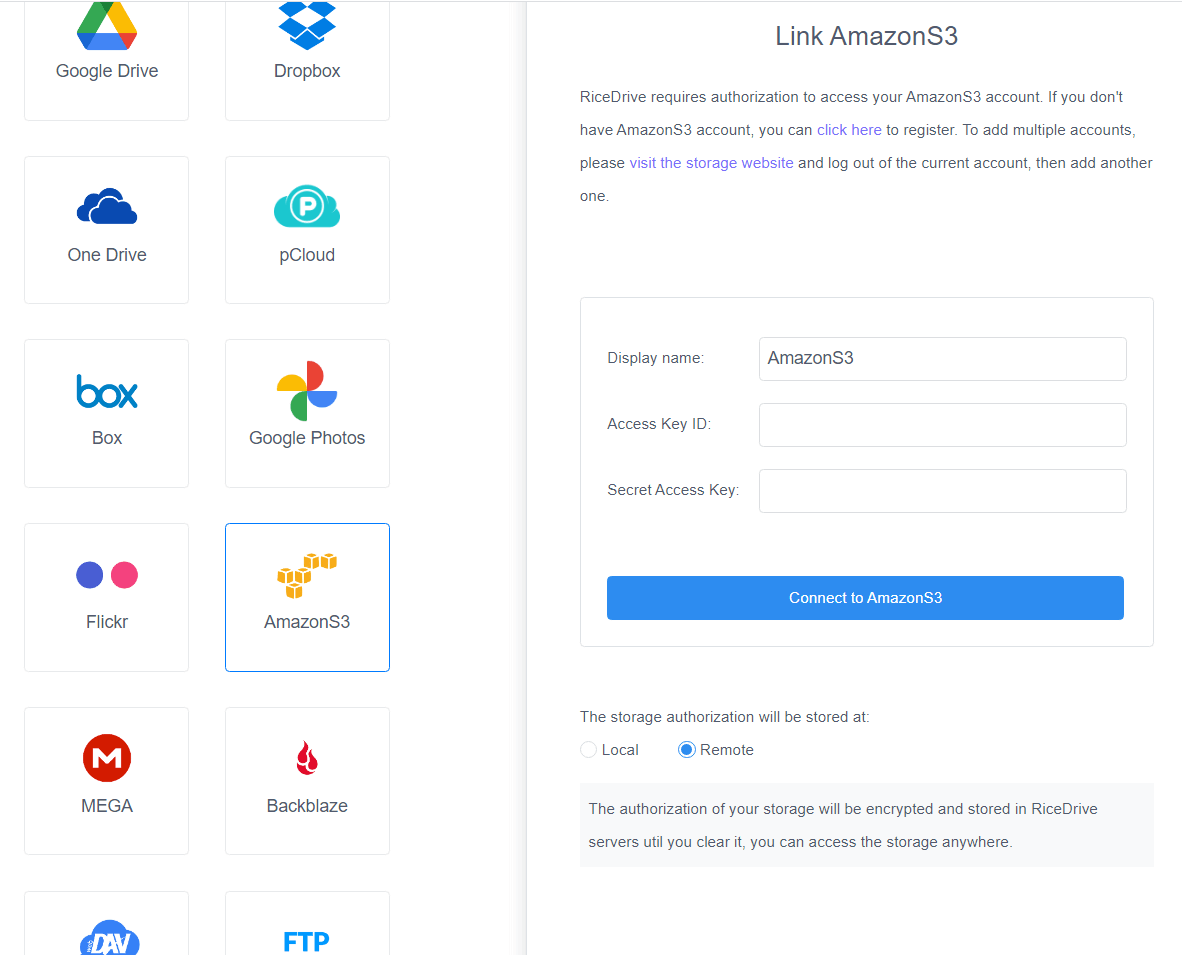
- Add Amazon S3: Go to your AWS Management Console → IAM → Security Credentials. Generate an Access Key & Secret Key. Paste them into RiceDrive.
- Add Google Drive: Click "Link Drive" → select Google Drive. RiceDrive uses OAuth 2.0 — just sign in to your Google account and authorize access.
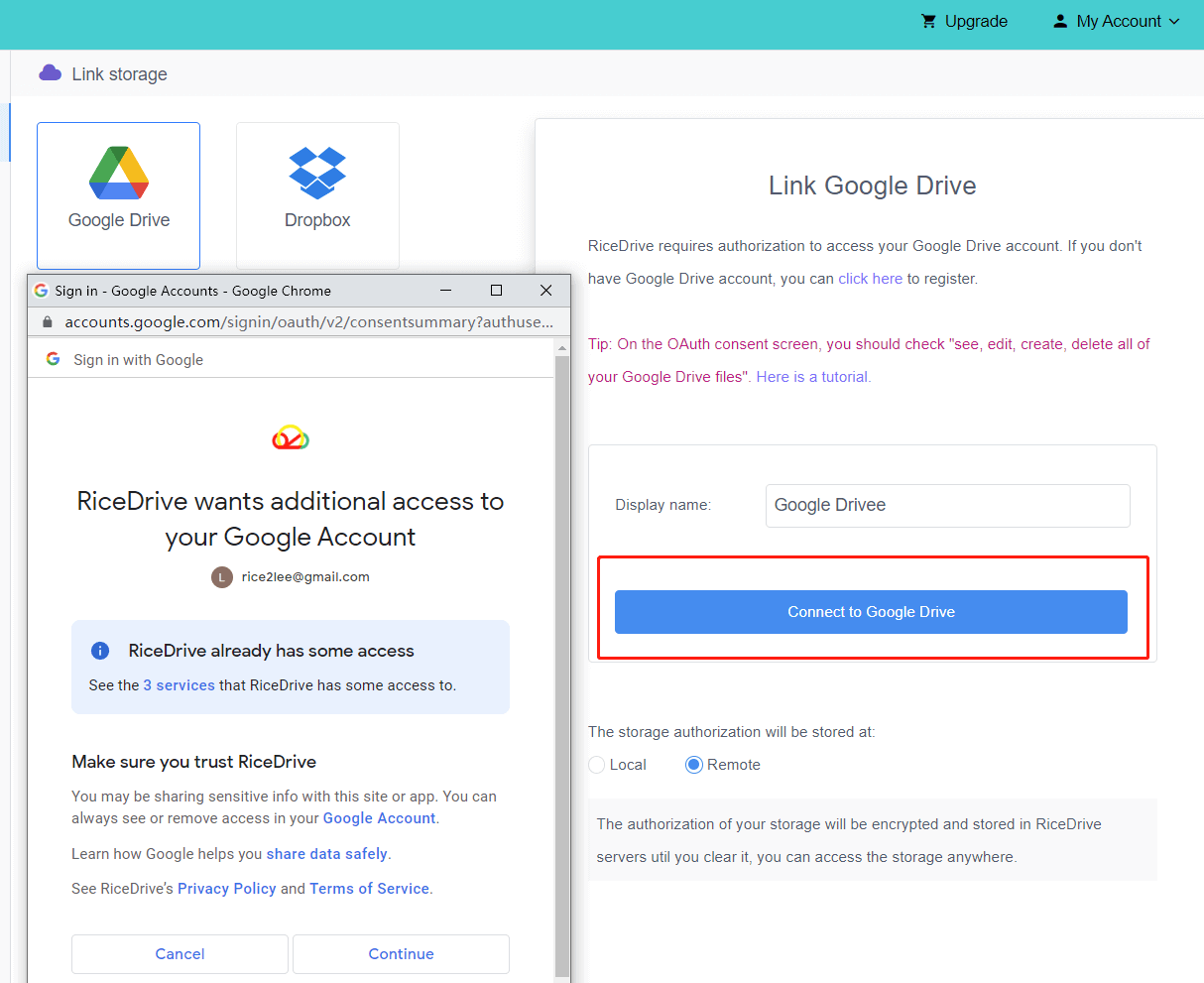
Once connected, both clouds appear in the sidebar with live storage usage and folder structures. You can now manage them as if they were local drives.
3. Transferring Files Between Accounts
Moving files from Amazon S3 to Google Drive is a straightforward 6-step process:
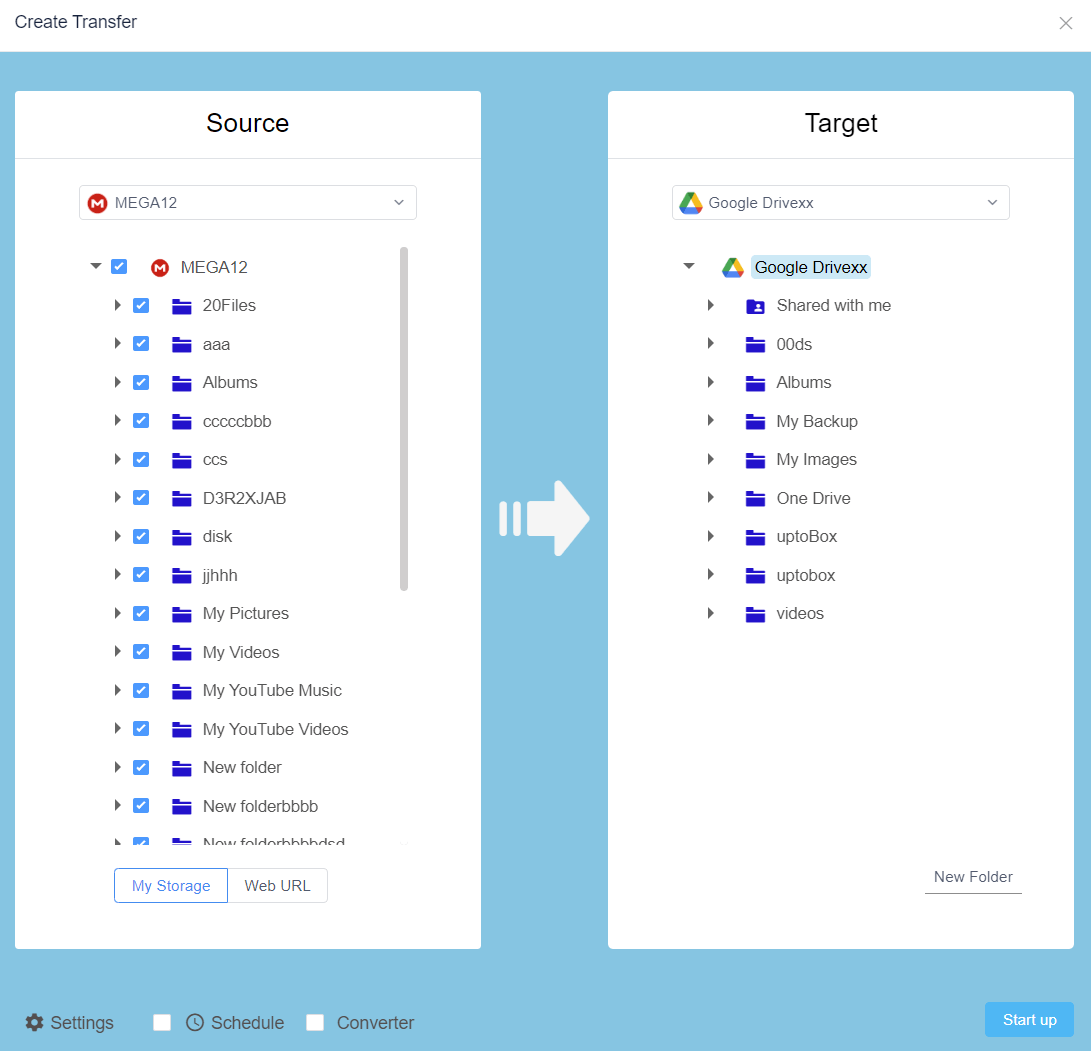
- Go to the “Transfer & Download” tab and click “Create Transfer”.
- Select Amazon S3 as the source.
- Browse and check the files/folders you want to transfer.
- Choose Google Drive as the destination.
- Select action: Copy (keep original) or Move (delete from source after transfer).
- Click “Start” — the transfer runs in the background.
For large volumes, RiceDrive offers Transfer Manager with queueing, auto-retry, and resume on failure. You can also enable Network Speed Optimization to utilize maximum bandwidth without manual tuning.
4. Advanced Functionality
Beyond simple transfers, RiceDrive includes powerful features for power users:
- 📂 Cloud Migration — migrate entire buckets or root folders between S3 and Drive with a single job.
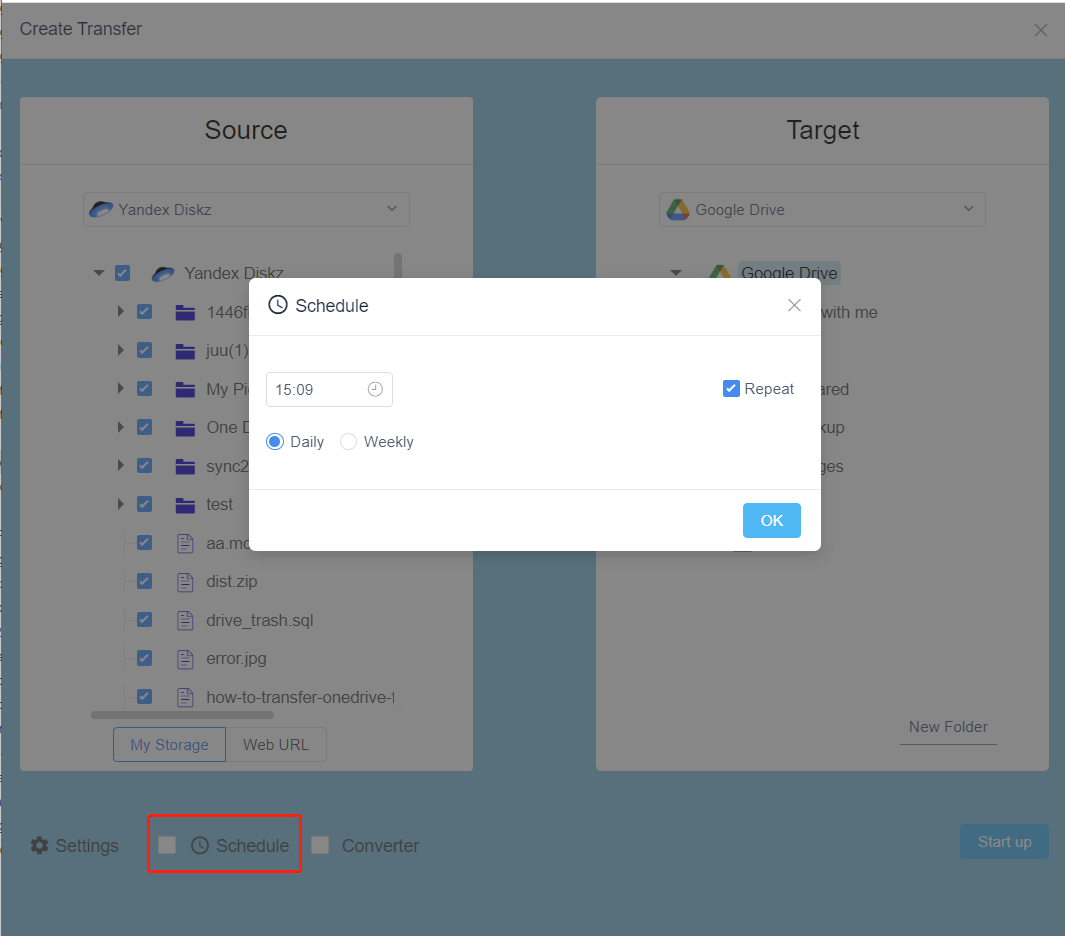
- ⏰ Schedule & Automation — set hourly, daily, or weekly sync tasks (e.g., backup S3 data to Google Drive every night).
- 🔐 Client-side Encryption — AES-256 encryption ensures your data remains private before it leaves your browser.
- 📎 File Filtering — transfer only specific extensions or files modified after a certain date.
- 🖼️ Direct Previews — preview documents, images, and videos without downloading.
5. Real-World Use Cases
Why would you transfer files from S3 to Google Drive? Here are popular scenarios:
📦 Disaster Recovery
Keep an up-to-date copy of critical S3 data in Google Drive for redundancy.
👥 Collaboration
Share files stored on S3 with teammates who only use Google Workspace.
💰 Cost Optimization
Archive infrequently accessed data from S3 to Google Drive to reduce storage costs.
🔄 Full Migration
Moving away from AWS? Migrate all S3 objects to Google Drive without third-party scripts.
6. Summary
Managing multiple cloud storage doesn't have to be a headache. With RiceDrive, you can automatically transfer, sync, and backup files from Amazon S3 to Google Drive — no command line, no complex scripts, and no vendor lock-in.
The platform is completely free to start, with 10GB of transfer traffic included. Whether you need a one-time migration or an ongoing scheduled sync, RiceDrive delivers enterprise-grade reliability with consumer-friendly simplicity.
Ready to unify your cloud storage?
👉 Try RiceDrive for FreeNo credit card required · 10GB free traffic